
Optimizer
The Optimizer is an advanced traffic management tool that automates the blocking process of underperforming sources. By setting custom rules based on key performance metrics—such as spend, conversion volume, eCPA, or ROI—the system can automatically block sources that fail to meet your criteria. This protects your budget in real time and ensures that your spend is focused on the most profitable traffic segments.
How to Set Up Optimization Rules
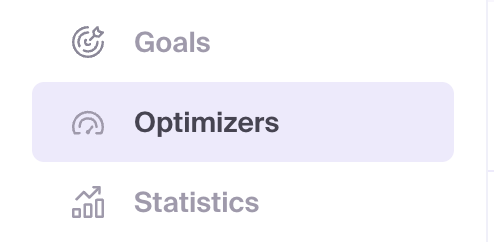
- Navigate to the Optimizers section in your dashboard.
- Click the + Create Optimizer button.
- Name: Give your Optimizer a descriptive name (e.g., "Block High CPA Sources").
- Time Interval: Select the analysis window for the rule (e.g., Last 7 Days, Last 30 Days).
- Rule Logic: Each rule consists of two conditions linked by "AND" logic, meaning both must be true for the rule to trigger.
NOTE
If you select Conversions, eCPA, ROI, or Revenue as a metric, you must also select the corresponding Conversion Goal from the dropdown menu.
- Multiple Rules: You can add up to four separate rules within a single Optimizer. These rules are linked by "OR" logic, meaning if any one of the rules is triggered, the source will be blocked.
- Click Create to save your Optimizer.
- Navigate to the settings of an active campaign or create a new one.
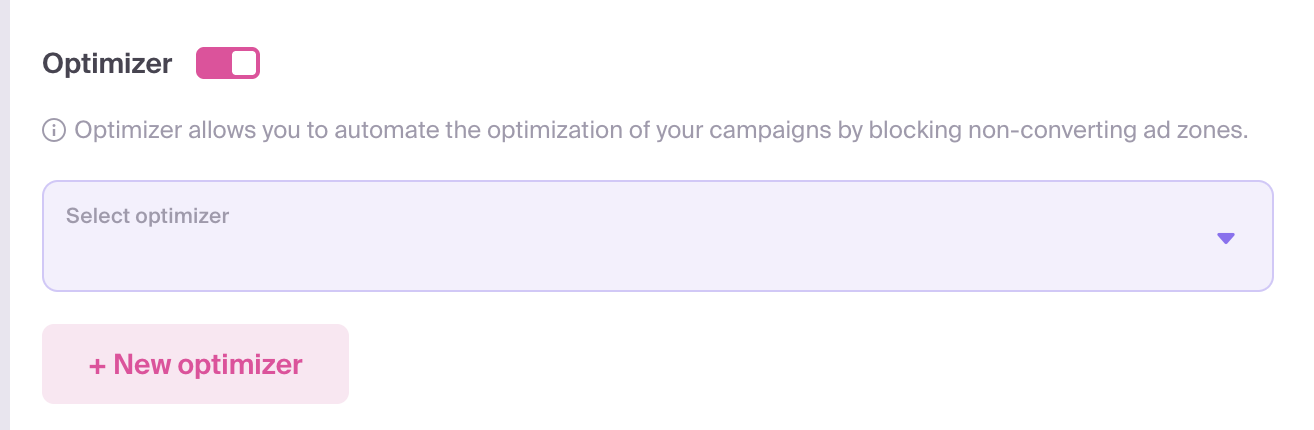
- In the Optimizer section of the campaign settings, link your newly created Optimizer.
- Save your campaign.
Monitoring and History
You can track all automated actions in the Blocked sources tab. This section provides details on which campaigns are linked to specific rules, which events triggered a block, and the exact timestamps.
If necessary, you can manually unblock a source from this list. However, be aware that the Optimizer will re-block the source if it continues to meet the triggering conditions.
Best Practices and Recommended Rules
✅ Effective Optimization Patterns
1. Low Engagement Cleanup
- Goal: Remove bot traffic or ultra-low engagement sources.
- Rule:
Impressions > 10,000ANDCTR < 0.01% - Interval: Last 7 Days
2. Non-Converting Spend Protection
- Goal: Stop sources that consume budget without delivering any results.
- Rule:
Spend > $5.00ANDConversions < 1 - Interval: Last 30 Days
3. High eCPA Elimination
- Goal: Block sources that convert but are too expensive to be profitable.
- Rule:
Conversions ≥ 1ANDeCPA > $5.00(set to your target CPA) - Interval: Last 7 Days
4. ROI Protection
- Goal: Automatically prune unprofitable sources at scale.
- Rule:
Spend > $10.00ANDROI < 0% - Interval: Last 30 Days
RECOMMENDATION
For optimal control, we recommend using rules for both conversions < 1 (to catch early spenders) and conversions ≥ 1 (to manage eCPA for active sources) within the same Optimizer.
❌ Rules to Avoid (Catastrophic Patterns)
Careless rule setup can inadvertently block your best-performing traffic. Do not use the following logic:
- Blocking Winners: A rule like
Conversions ≥ 1ANDSpend > $0.40will block every source that generates a conversion, effectively killing your campaign's success. - High-Performance Suicide: A rule like
ROI > 100%ANDSpend > $1will eliminate your most profitable sources. - Micro-Transaction Blocker: Avoid rules like
Conversions ≥ 1ANDRevenue < $2if you are running lead generation or low-ticket offers, as this will block your primary volume drivers.
Important Technical Details
- Historical Analysis: When added to a campaign, the Optimizer immediately analyzes historical data from before the Optimizer was linked.
- Global Deletion: If you delete an Optimizer from one specific campaign, its rules will remain active for any other campaigns they are linked to.
- Pre-existing Blocks: If you remove an Optimizer from a campaign, any sources it previously blocked will remain blocked until manually restored.
- Check Frequency: The system evaluates data at one-hour intervals. Consequently, a blocked source's final metrics may be slightly higher than your rule threshold (e.g., spend might reach $5.10 before the $5.00 limit triggers a block).