
Time Range Setup (Day-Parting)
The Time Range setting allows you to schedule your campaigns to run only during specific hours and days of the week. This technique, often called day-parting, is essential for optimizing your budget and focusing on high-converting periods.
When to Use Time Range Scheduling
- Conversion Optimization: Focus your budget on the hours and days that historically deliver the highest ROI for your offer.
- Targeted Delivery: If your offer correlates with specific user behaviors (e.g., evening entertainment or weekday business services), you can align your delivery accordingly.
- Budget Management: Prevent overspending during low-performance periods, especially during the initial testing phase of a new campaign.
Step-by-Step Configuration
- Open your campaign settings.
- Navigate to the Targeting & Restrictions tab.
- Locate and expand the Time Range section.
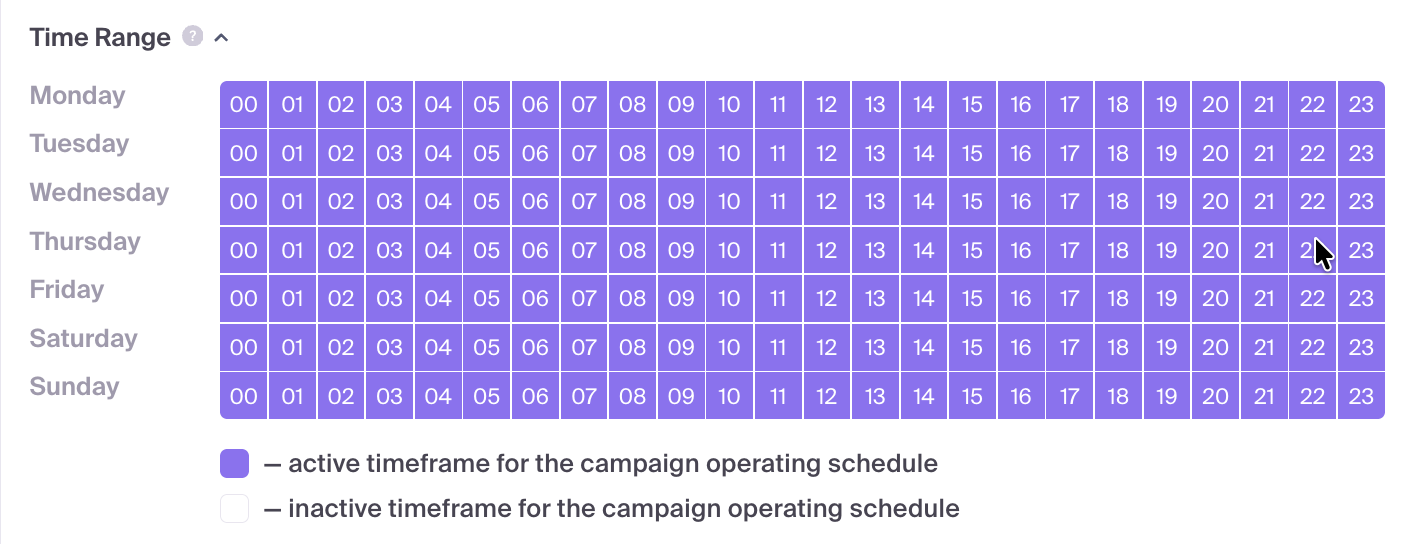
- Timezone Notice: By default, the campaign is set to run 24/7. All time slots are based on the UTC timezone.
- Adjusting the Grid: Click or drag your cursor across the grid to enable or disable specific hourly slots for each day of the week.
- Highlighting: Active hours are highlighted, while disabled hours will receive no traffic.
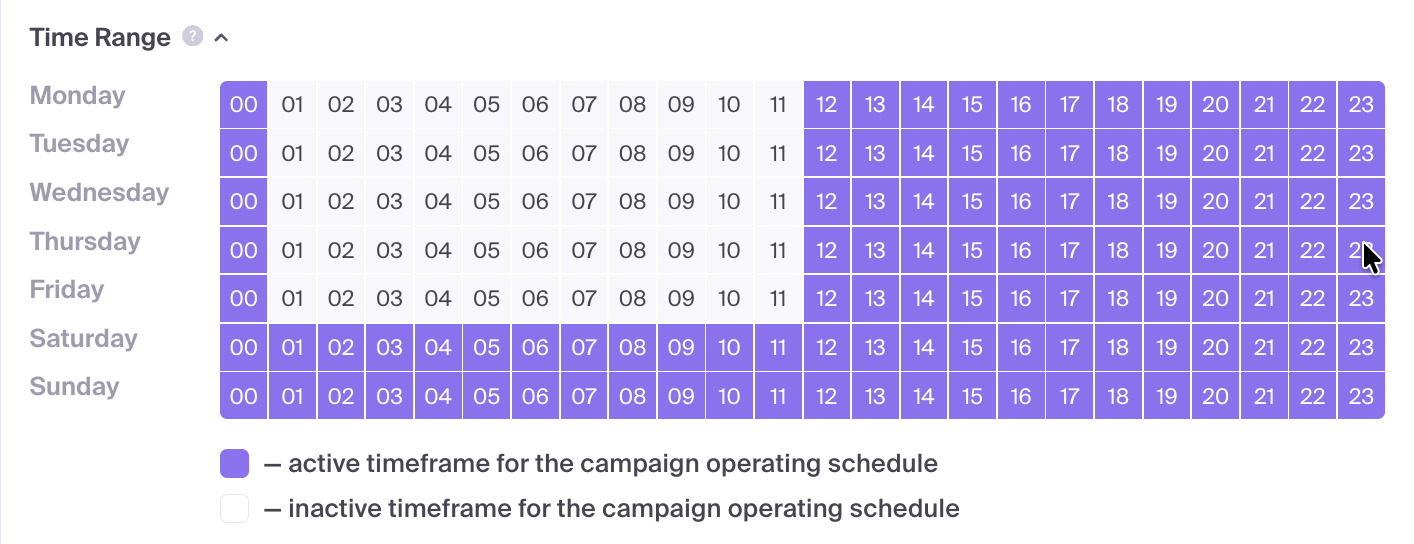
- Save your campaign changes to apply the schedule.
Common Pitfalls to Avoid
- Timezone Discrepancies: The most common error is forgetting that the schedule operates strictly in UTC. Ensure you convert your target audience's local time to UTC before adjusting the grid.
- Premature Optimization: Avoid disabling a large number of time slots before you have collected enough statistically significant data to justify the decision.
- Concurrent Changes: Try to avoid making major bid adjustments at the same time as schedule changes. Modifying one variable at a time makes it easier to isolate the impact of your optimizations.
Troubleshooting
- No Traffic Received: Double-check your active slots and verify that your target GEO's active hours correspond correctly to your UTC settings.
- Unexpected Traffic Splikes: If traffic appears at unusual local times, re-calculate your UTC conversion to ensure the grid aligns with your intended schedule.
- Stagnant Performance: If performance doesn't improve, consider widening your active windows to gather more data or re-evaluate your bids during those periods.