
Frequency Capping
Frequency Capping is a critical advertising technique used to limit the number of times a unique user is exposed to your ad or interacts with it within a specific timeframe (e.g., 24 hours). Implementing effective frequency caps helps prevent ad fatigue, reduces budget waste on repetitive audiences, and maintains the relevance of your messaging.
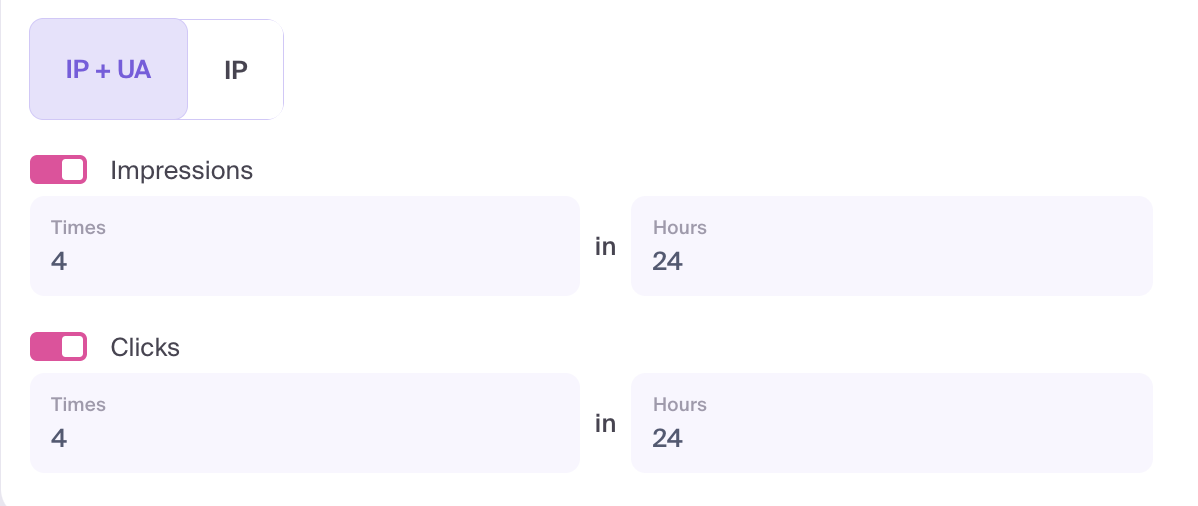
How to set up frequency capping
- Open Targeting & Restrictions → Capping in the campaign settings.
- Choose how to identify a unique user:
- IP — by IP address. Users sharing an IP address share the same frequency limit.
- IP + UA — by the combination of IP address and user agent. The user agent contains information about the browser and device.
- Enable Clicks, Impressions, or both.
- For each enabled limit, set Times and Hours. For example, 4 Times in 24 Hours allows up to four events of the selected type within that period.
Using both limits
Click and impression limits can be active together. Delivery is restricted when either limit is reached.
Example: Impressions = 4 in 24 hours and Clicks = 2 in 24 hours. The campaign stops serving this user when either four impressions or two clicks are reached within the relevant period.
Disabling Clicks removes the click-based cap; an enabled impression cap still applies. Disabling Impressions removes the impression-based cap; an enabled click cap still applies. Capping counts clicks and impressions, not conversions.