
Multigoals
Tracking and analyzing different conversion types separately provides deeper insights into your campaign performance. This guide explains how to configure Multigoals and how to find them in the statistics.
What are Multigoals?
Multigoals allow advertisers to measure multiple user actions individually instead of grouping all leads into a single metric. By separating actions—such as a registration, a deposit, or a purchase—you can identify which specific events drive the most value. This granularity brings full transparency to your eCPA, revenue, and ROI calculations for every stage of your funnel.
How to Create a Conversion Goal
- Log in to your MyBid advertiser account and navigate to the Goals tab.
- Click the + Create conversion goal button.
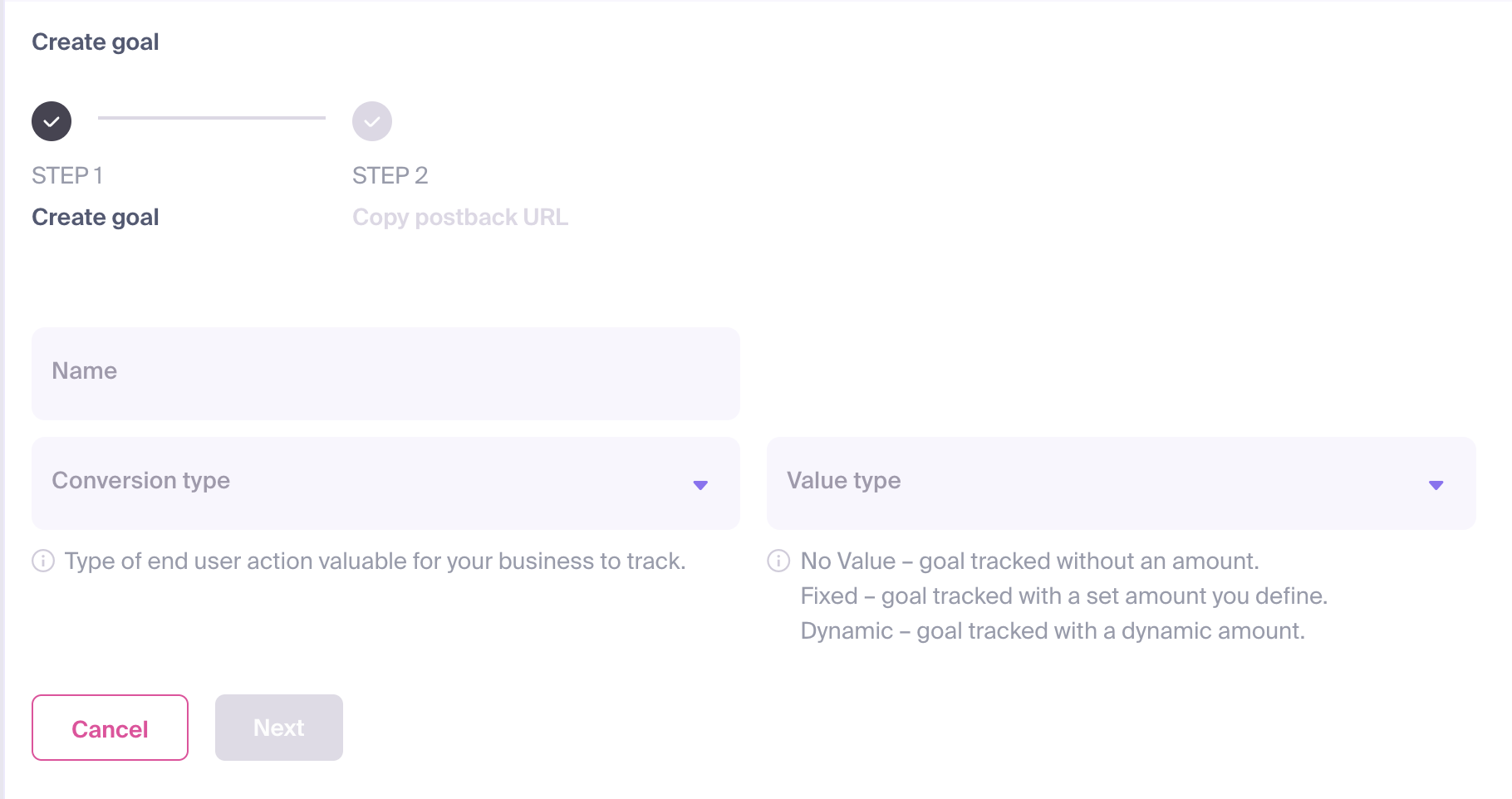
The configuration form will appear, requiring the following details:
- Name: Assign a clear and descriptive name that reflects the specific action (e.g., "Registration" or "Sale").
- Conversion Type: Select the category that best matches the user's action.
- Value Type: Define the payout for the conversion. This value is used to calculate your campaign's Revenue and ROI (Return on Investment). You can choose from:
- No Value: No specific monetary amount will be attributed to the conversion.
- Fixed: Assign a static amount for every conversion of this type.
- Dynamic: The conversion value will be passed dynamically through your postback URL.
Once configured, click Next.
A Postback URL will be generated. Note the
goal_idparameter in this URL.
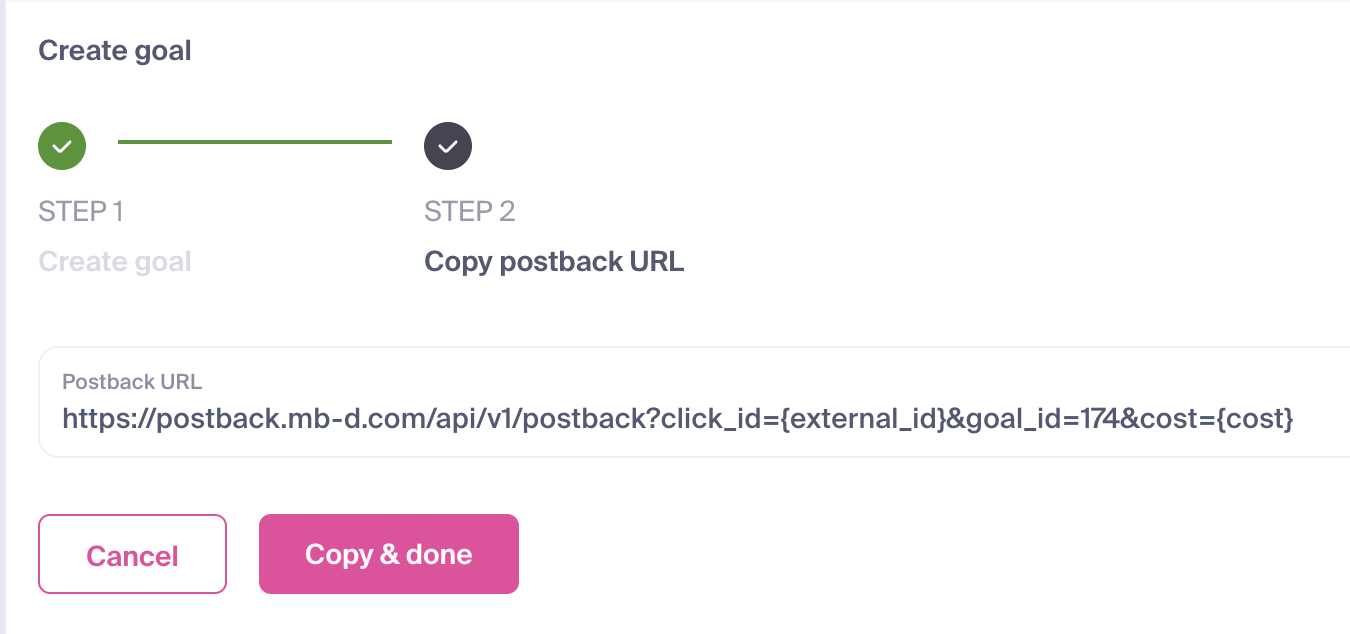
- Click Copy & done to save your new goal and copy the postback URL for integration.
IMPORTANT
Every Conversion Goal is assigned a unique goal_id. This ID is required to correctly associate user actions with the specific goal in your dashboard. Your postback URL should follow this structure:
https://postback.mb-d.com/api/v1/postback?click_id={external_id}&goal_id=186&cost={cost}Viewing Goal Statistics
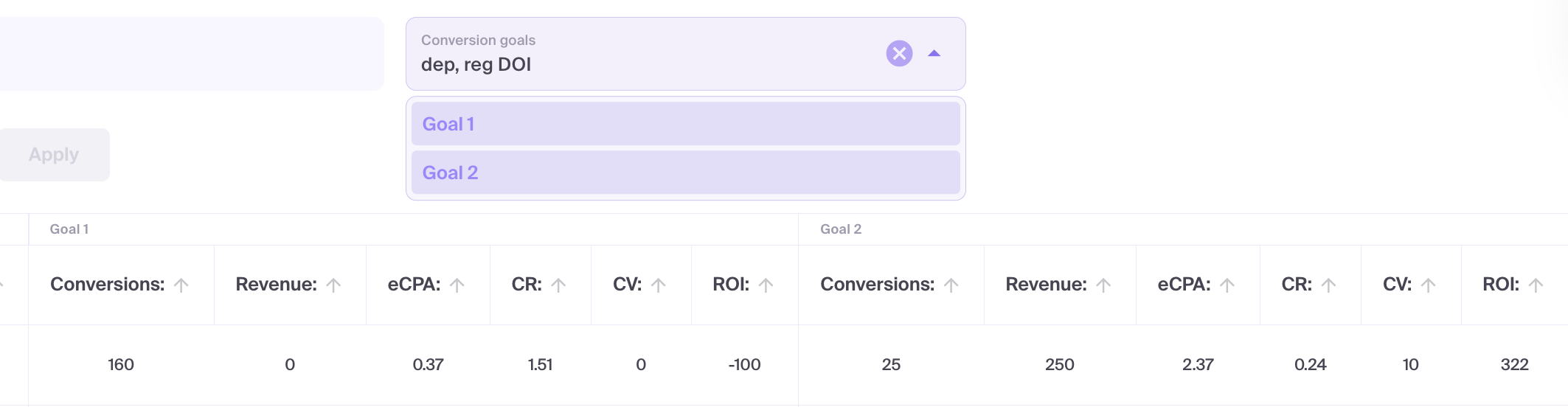
To analyze the performance of individual goals, use the Conversion Goals filter in your statistics dashboard.
- Navigate to your campaign statistics.
- Select the required goals in the Conversion Goals filter and click Apply.
- The table will update to show dedicated columns for each selected goal.
- If a goal column is missing, open Column view and check its visibility settings.
The Multigoals feature in MyBid empowers you to evaluate every action within your campaign funnel. By defining dedicated goals, you can monitor, compare, and improve the performance of different events, making your advertising more data-driven and efficient.