
Campaign Statuses and Moderation Outcomes
Understanding the status of your campaign is essential for effective management. This guide clarifies the two distinct status types within the MyBid platform: Campaign Statuses and Moderation Statuses.
Navigation Overview
To view your campaign statuses, follow these steps:
- Navigate to the Campaigns section in your dashboard.
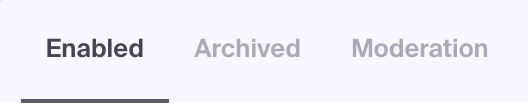
- Select the relevant tab to filter your view:
- Enabled: Displays all active and non-archived campaigns.
- Archived: Contains campaigns that have been manually moved to the archive.
- Moderation: Shows the status of moderation requests (approvals, rejections, or pending reviews).
- Drafts: saved campaign drafts that you can reopen and complete before submitting a campaign for moderation. A draft is not a running campaign or a moderation request.
Campaign Statuses (Enabled Tab)
The following statuses reflect the real-time state of your campaign:
- Active: The campaign is running normally and is eligible to receive traffic.
- Paused: The campaign has been manually stopped by the user.
- Pending: The campaign is waiting for a moderation outcome before it can begin serving ads.
- Paused by Limit: The campaign has reached a daily, total, or account balance limit. It will remain paused until the budget is increased or the balance is topped up.
Moderation Statuses (Moderation Tab)
The Moderation tab tracks the progress of your campaign reviews. These are tracking entries for the moderation process itself:
- Open: Your request is currently in the queue, waiting for a moderator to review it.
- Approved: Your campaign or edit has passed moderation and is ready to run.
- Rejected: Your request was not approved. You must review the rejection reason, apply the necessary fixes to your campaign or creatives, and resubmit.
PRO TIP
If a moderation task is Rejected, click on the task to see the specific feedback from our team. Common reasons include non-compliant content, broken links, or low-quality assets.
Continue from a draft
- Open Campaigns → Drafts.
- Click the draft you want to continue.
- Review the restored settings and complete any required fields.
- Submit the campaign for moderation when it is ready.
When leaving a new campaign form, the confirmation dialog tells you whether your progress will be saved to Drafts. Check the save result. If a save error appears, do not assume your latest changes are available in the draft.
If the draft list fails to load, try opening it again later. If the problem continues, contact support.
Common Misunderstandings
- Tab Confusion: Advertisers often look for "Rejected" or "Approved" statuses in the Enabled tab. These statuses only appear in the Moderation tab.
- Manual vs. Automated Pause: Distinguishing between
Paused(manual action) andPaused by Limit(automated budget restriction) is key to troubleshooting traffic drops. - Archived Campaigns: Campaigns in the Archived tab do not serve ads. You must restore them to the Enabled tab to resume delivery.
Troubleshooting
- Missing Campaign: If you can't find a recently edited campaign in the Enabled tab, check the Moderation tab to see if it is still being reviewed or has been rejected.
- Unexpected Traffic Stop: If your campaign status shows
Paused by Limit, check your account balance or increase your daily/total budget caps. - Status Sync: If you've just saved changes, it may take a few moments for the status to update. Refresh the page if the change isn't reflected immediately.
- Persistent Rejection: Ensure you have addressed all points mentioned in the rejection reason before resubmitting. Resubmitting unchanged assets will lead to repeated rejections.
SUPPORT
If you need assistance understanding a specific status or moderation outcome, please contact us via our support live chat.